![Husl_logo_strapline-TM (4).png]](https://help.unwritten.hair/hs-fs/hubfs/Husl_logo_strapline-TM%20(4).png?height=40&name=Husl_logo_strapline-TM%20(4).png)
At this time, SMS appointment reminders sent by HUSL cannot be edited or customised.
The reminder message is automatically generated by the system and includes key appointment details such as:
-
Client’s name
-
Appointment date and time
-
Your business name
-
A phone number to reschedule or cancel
This ensures all reminders remain clear, professional, and compliant with SMS length limits.
Another reason is due to the SMS character limit.
Even going one or two characters over can trigger a double SMS charge from phone providers. We want to keep costs as low as possible for you, the stylist.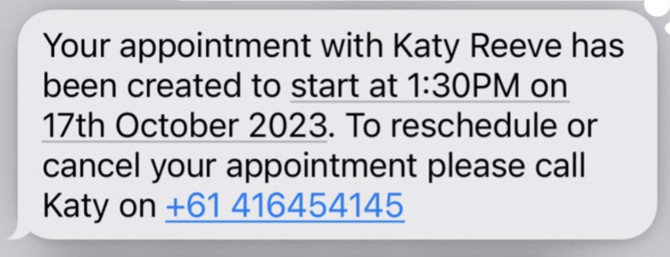
💡 Tip:
If you'd like to add more personalised info (like parking tips, cancellation policies, etc.), consider following up with a custom message via email or text outside the automated system.
However, very soon you'll be able to add the above in a new Policies section in your 'Booking Setup' for your Online Booking website.
Make sure you have your app auto-update's turned on.
Still have questions email: indiesupport@husl.io